

Explore the best Rubik Variant Images alternatives for Shopify, comparing pricing, features, automation, and swatches to find the right app for your store.
Key Takeaways
- Top Rubik alternatives: SA Variant Image Automator, GLO Color Swatch, Variant Image Wizard, gg Variant Image, and N Color Swatches.
- StarApps' SA Variant Image Automator groups multiple images per variant automatically and keeps your theme's own gallery, zoom, video, and 3D.
- Rubik holds a 5.0 rating, but its free plan covers one product, so most live stores pay $25 a month or more.
- Rubik charges by product count ($25 to $75 a month). SA Variant Image Automator charges by Shopify plan: $14.90 on Basic, $99.90 on Plus.
- SA Variant Image Automator offers the longest free trial here (30 days) and the longest track record, dating back to 2017.
- GLO Color Swatch pairs swatches with product bundles and variant grouping, and has the most reviews here (1,893).
- Variant Image Wizard + Swatch has the lowest paid price, $4.99 a month, but its free and Starter plans run only on free themes.
- Choose by priority: automation and theme fidelity, swatch depth, budget, setup help, or combined listings.
Replacing Rubik Variant Images? Start with SA Variant Image Automator by StarApps if you want automatic variant images inside your theme's own gallery. Choose GLO Color Swatch for swatches and bundles, Variant Image Wizard + Swatch for the lowest price, gg Variant Image for hands-on setup help, and N Color Swatches for combined listings.
Shopify gives each variant one image. Stores that sell many colours or styles end up with a gallery that shows every option at once. Craftshift's Rubik Variant Images & Swatch fixes that: it assigns several images to each variant, shows only the matching set, and adds colour and image swatches. It holds a 5.0 rating from 493 reviews and carries the Built for Shopify badge, Shopify's mark for apps that meet its performance, design, and integration standards. Merchants who switch usually do it for pricing, free-plan room, or features Rubik doesn't cover.
What is Rubik Variant Images & Swatch?
Rubik Variant Images & Swatch is a Shopify app from Craftshift that controls which product images appear for each variant. You assign several images to a variant, and Rubik shows only that set when a shopper selects the option. It also replaces the default variant picker with colour or image swatches. Craftshift launched the app in October 2024.
Rubik works inside your theme's existing gallery instead of replacing it, so your layout, video, and 3D models stay in place. Its main features:
- Multiple images per variant, with only the selected variant's images on the product page.
- AI auto-assignment that matches images to options such as colour, so you skip manual tagging.
- Image and colour swatches in place of a plain dropdown.
- Shared images, such as a size chart, that appear under every option without duplicate uploads.
- Free setup for all themes, plus listed support for PageFly, GemPages, EComposer, and Instant. Craftshift's listing also promises no impact on page speed.
Rubik charges a flat monthly fee based on how many products you set up, not on your Shopify plan:
- Free: 1 product, 50 AI-assigned images a month
- Starter: $25 a month for 100 products (1,000 AI images a month)
- Advanced: $50 a month for 1,000 products (5,000 AI images a month)
- Premium: $75 a month for unlimited products (50,000 AI images a month)
Paid plans include a 7-day free trial, and annual billing saves 33%. Because the free plan covers a single product, most live stores move to a paid plan as soon as they set up their catalogue.
Why Merchants Compare Variant Image Apps
Rubik does its job well. Merchants compare alternatives for fit, not faults:
- Pricing model: Rubik charges by product count. A large catalogue on a smaller Shopify plan often pays less with plan-based pricing.
- Free plan scope: One free product leaves little room to test on a live catalogue.
- Images versus swatches: If swatches matter more than galleries, a swatch-first app may fit better.
- Extra features: Bundles, combined listings, or variants shown as separate products need a different app.
- Track record: Rubik launched in late 2024. Some stores prefer an app with a longer history.
What to Look For in a Rubik Variant Images Alternative
Judge every app on the same eight points:
- Multiple images per variant: The app should assign several images to each variant and hide the rest on selection.
- Theme gallery handling: Some apps swap your gallery for their own layout. Others keep your theme's native gallery, zoom, slider, and media order, which means fewer visual surprises.
- Media support: Check that video, 3D models, and zoom still work after you install.
- Automation: Manual tagging eats hours on a large catalogue. Automatic grouping or AI assignment removes that work.
- Swatches: If you want colour or image swatches, confirm the app includes them or plan to add a swatch app.
- Compatibility and speed: Check theme and page builder support, then test product page speed on your own store.
- Pricing fit: Compare product-count pricing with plan-based pricing, and read what each free plan actually includes.
- Support and track record: Rating, review count, launch date, and live support quality all matter when something breaks.
The Best Rubik Variant Image Alternatives At A Glance
SA Variant Image Automator is our app. We hold it to the same criteria as every other app here, and we took every rating, price, and feature below from each app's Shopify App Store listing in October 2026.
Best Rubik Variant Images Alternatives
SA Variant Image Automator (StarApps)
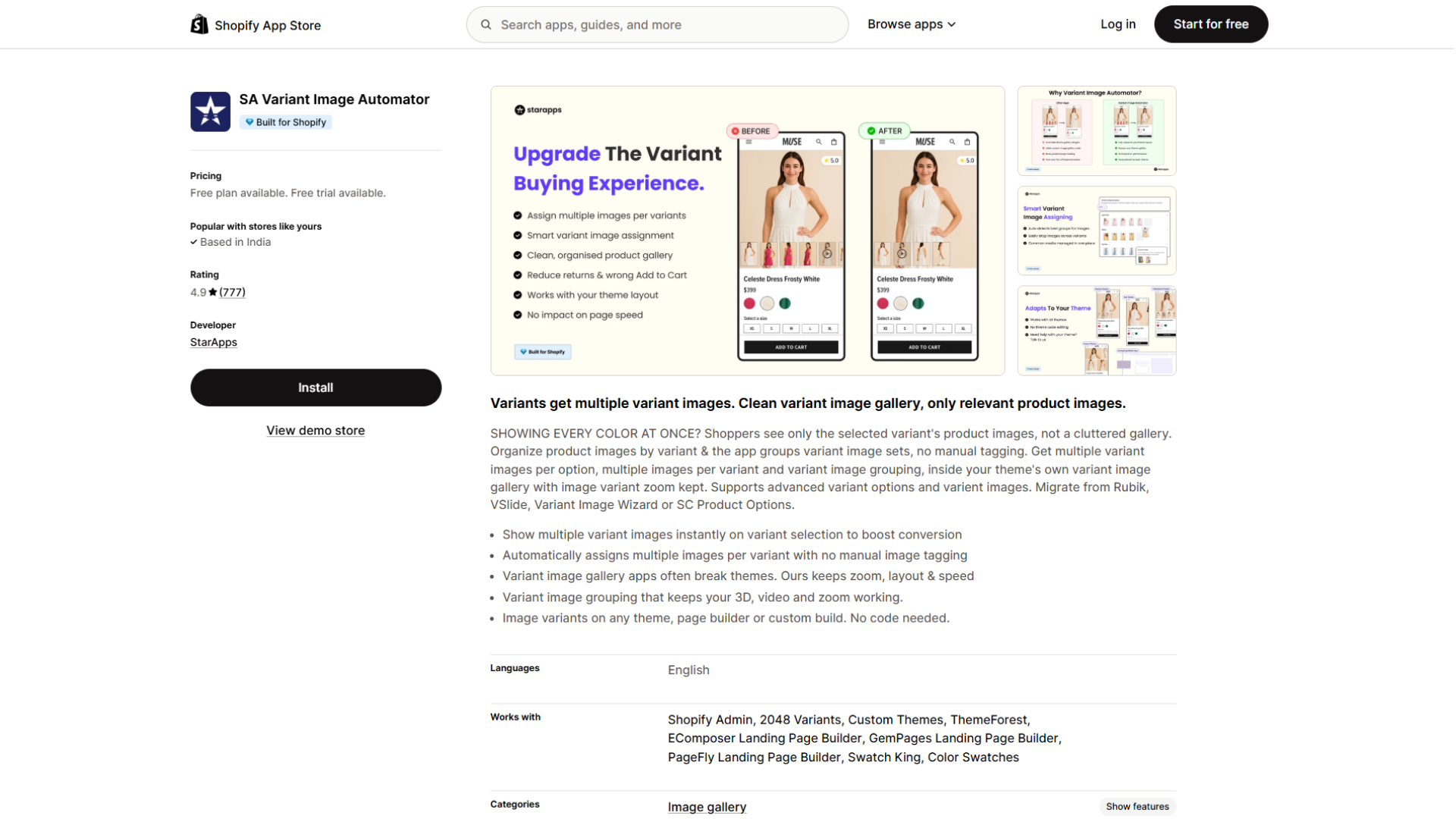
SA Variant Image Automator does the same core job as Rubik, with more automation and a longer history. We launched it in 2017, and it holds a 4.9 rating from 778 reviews on the Shopify App Store with the Built for Shopify badge.
You never tag images one by one. Group each variant's images together in your product gallery, assign the first image of each group to its variant in Shopify, and the app handles the rest. Shoppers see only the selected variant's images inside your theme's own gallery, with zoom, video, and 3D models still working. Moving from another app? We support migration from Rubik, VSlide, Variant Image Wizard, and SC Product Options.
Pricing follows your Shopify plan, not your product count: $5 a month on Pause and Build, $14.90 on Basic, $29.90 on Grow and Custom, $49.90 on Advanced, and $99.90 on Plus. All paid pricing starts with a 30-day free trial, the longest in this comparison. The free plan covers Shopify Partner stores (such as development stores), staff stores, and merchant trial stores, so you can set everything up before launch.
How that compares with Rubik depends on your catalogue and plan. A Shopify Basic store with 500 products pays $14.90 a month with us and $50 on Rubik's Advanced plan. A Shopify Plus store with an unlimited catalogue pays $99.90 with us and $75 on Rubik Premium.
The app focuses on variant images and doesn't add swatches, so pair it with a swatch app if you need them.
Best for: stores that want hands-off automation, a long track record, and a gallery that behaves exactly like their theme's native one.
GLO Color Swatch Variant Image (Globo)
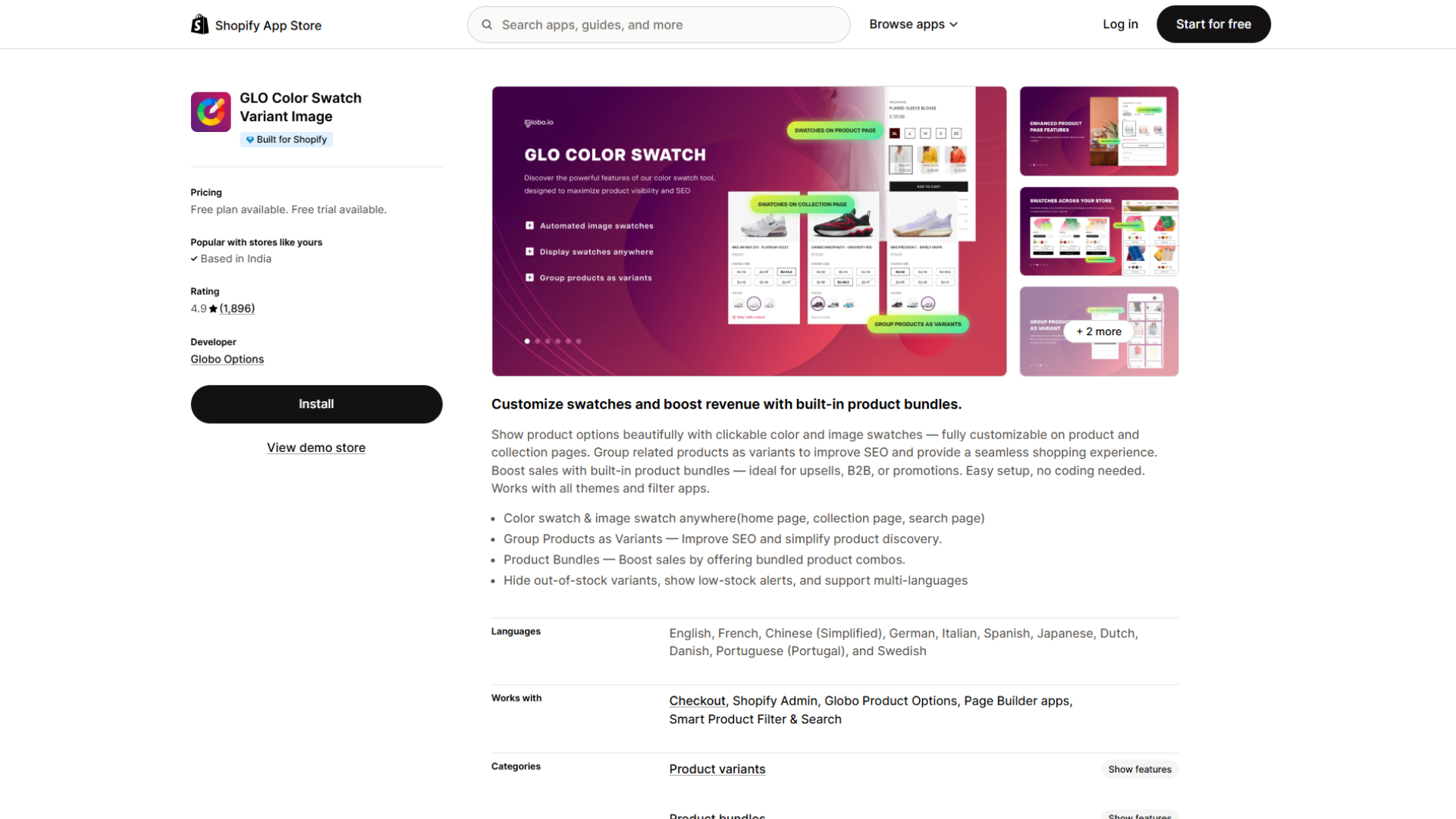
GLO Color Swatch Variant Image from Globo Options has the most reviews in this list: a 4.9 rating from 1,893. Globo launched it in 2021, and it carries the Built for Shopify badge. It leans toward swatches and merchandising rather than image galleries.
The app turns product options into clickable colour and image swatches on product, collection, home, and search pages. It groups related products as variants to help search engine optimisation (SEO), previews the variant image when a shopper picks an option, hides out-of-stock variants, and shows low-stock alerts. Its built-in product bundles support upsells, business-to-business (B2B) offers, and promotions, which few apps in this category offer.
The free plan covers unlimited products with colour swatches, variants on collection pages, multi-language support, one product group, and one bundle. Silver (9.90amonth) adds image watches, variant image previews, and six more display styles.Gold(19.90 a month) unlocks unlimited product groups and bundles. Both paid plans include a 7-day free trial, and annual billing saves 17%.
Best for: stores that want flexible swatches, bundles, and variant grouping in one well-established app.
Variant Image Wizard + Swatch (ProductWiz)
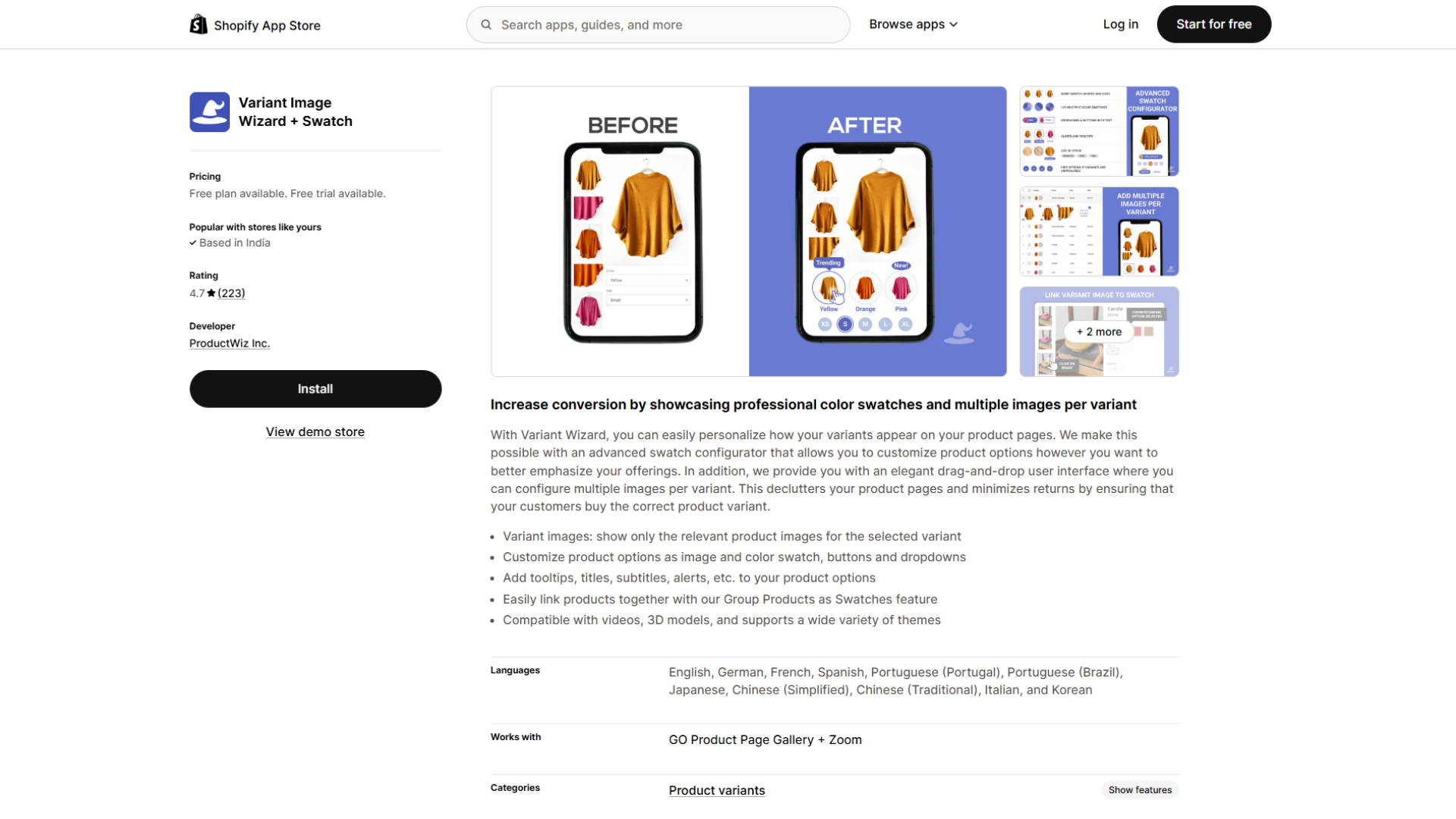
Variant Image Wizard + Swatch from ProductWiz Inc. combines variant images with a swatch configurator. It holds a 4.7 rating from 224 reviews and launched in 2020. It does not carry the Built for Shopify badge.
It shows only the selected variant's images and lets you style options as image swatches, colour swatches, buttons, or dropdowns, with tooltips, titles, and alerts. Its Group Products as Swatches feature links separate products, which helps when you publish each colour as its own product. Video and 3D support sit on the Pro plan.
It has the lowest paid entry point here. The free plan covers variant images on up to five products, on Shopify's free themes only. Starter (4.99amonth) removes the product limit but still requires a free theme.Pro(7.99 a month) adds bulk editing, Group Products as Swatches, video and 3D, and support for all themes. Paid plans include a 14-day free trial.
Best for: smaller catalogues and budget-conscious stores that want images and swatches for under $10 a month.
gg Variant Image, Color Swatch (gg Apps)
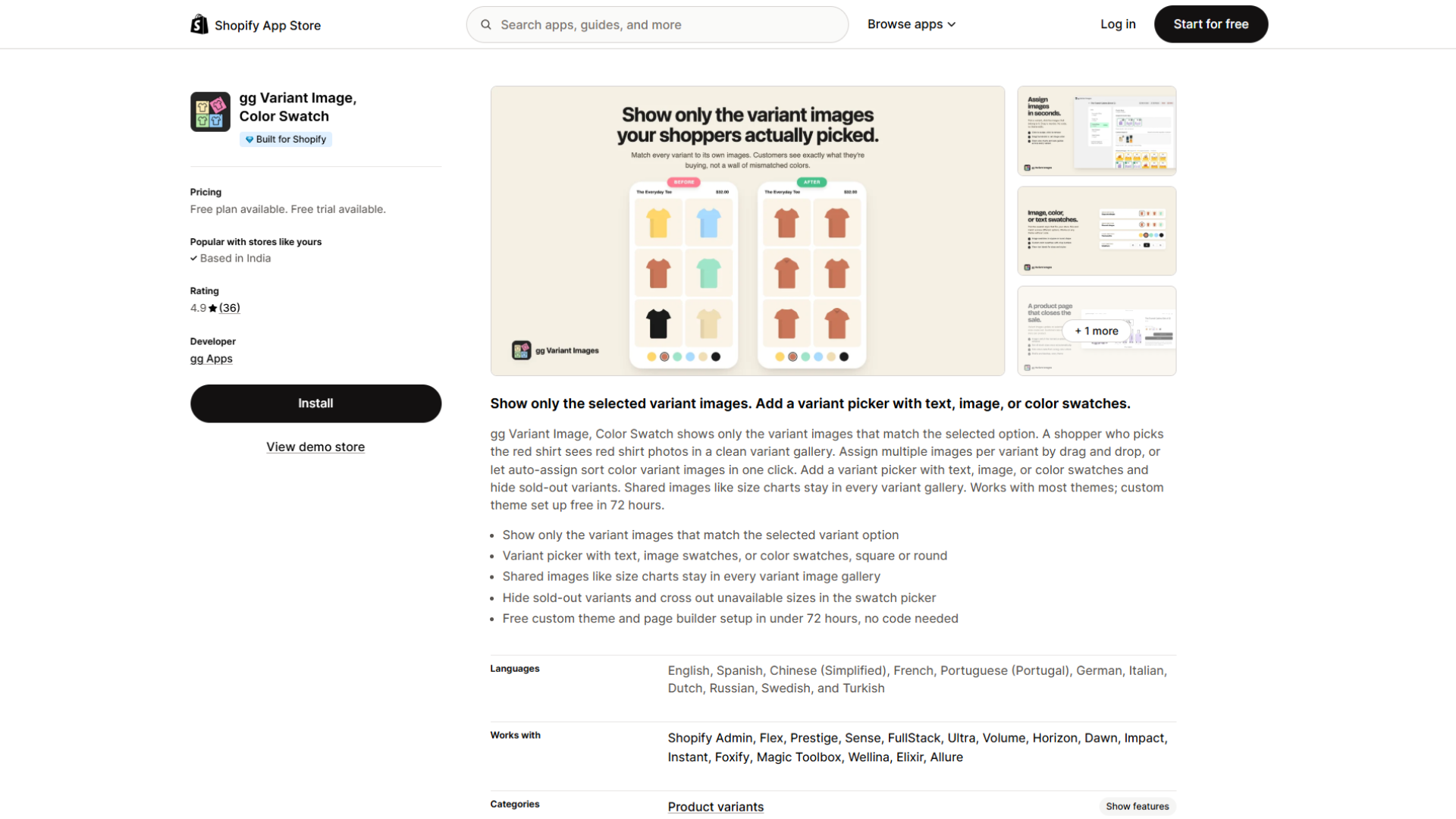
gg Variant Image, Color Swatch is a newer option from gg Apps, launched in 2025. It holds a 4.9 rating from 34 reviews and carries the Built for Shopify badge, which is notable for a recent app.
It shows only the variant images that match the selected option and offers text, image, and colour swatches in square or round shapes. You can share common assets such as a size chart across every variant, hide sold-out variants, and cross out unavailable sizes live. The team advertises free custom theme setup within 72 hours, which lowers the barrier for stores on a heavily customised theme.
The free plan configures one product with swatches and image, video, and 3D support. The Growth plan at $9.99 a month covers 100 products with free setup for all themes, and the Pro plan at $19.99 a month covers unlimited products with priority support. Both paid tiers run early-bird launch pricing and include a 7-day free trial.
Best for: newer stores that want images and swatches together, plus hands-on setup help, and are comfortable with a smaller review base.
N Color Swatches Variant Image (NestScale)
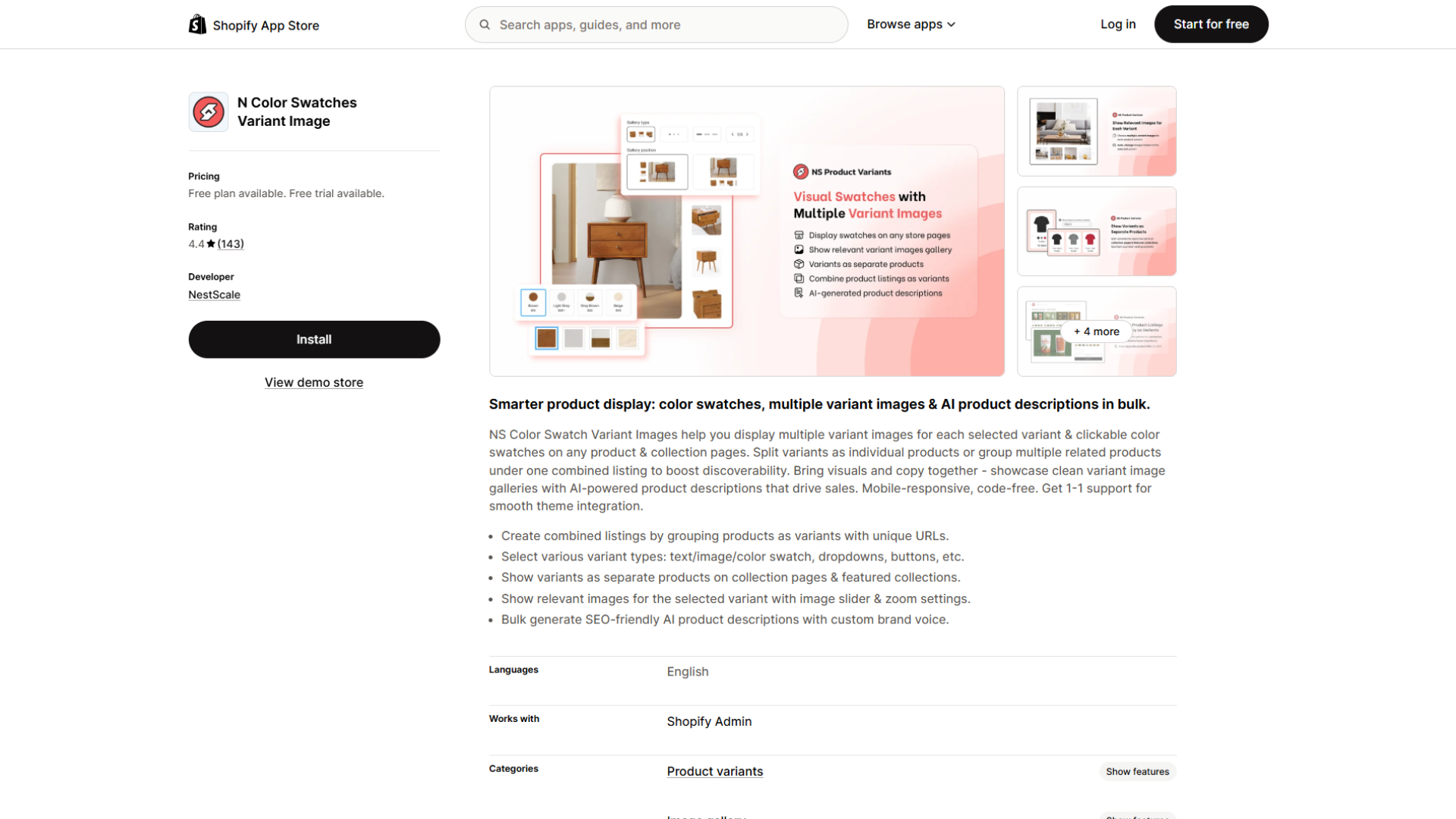
N Color Swatches Variant Image from NestScale (also branded as NS Color Swatch Variant Images) focuses on combining and displaying variants rather than only swapping images. It holds a 4.4 rating from 141 reviews, the lowest in this group, and does not carry the Built for Shopify badge, so it is worth testing support on your theme before committing.
Its strength is variant grouping. You can combine separate products into one listing with unique URLs, show variants as separate products on collection pages, and display colour, image, or text swatches that update the gallery on selection. The app also offers image sliders, zoom, and bulk AI product descriptions. Multiple variant images per selection sit on the top plan.
The free plan covers unlimited variants with colour and text swatches on product pages. The Growth plan at $7.99 a month adds image swatches, collection-page swatches, auto-use of variant images as swatches, and AI descriptions, with a $3.99 charge per add-on feature. The Professional plan at $14.99 a month adds combined listings, the variant image gallery, and multiple variant images. Paid plans include a 7-day free trial.
Best for: stores that want combined listings and variants shown as separate products on collection pages, and are comfortable with a smaller, lower-rated app.
How To Choose The Right Alternative
Match the app to your main priority:
- You want automation and a gallery that behaves like your theme's own. SA Variant Image Automator groups images for you and keeps your layout, zoom, and media.
- You want swatches plus merchandising. GLO Color Swatch pairs swatches with bundles and variant grouping.
- Your budget is tight, or your catalogue is small. Variant Image Wizard + Swatch starts at $4.99 a month.
- You run a newer store and want setup help. gg Variant Image includes free custom theme setup, though its review base is still small.
- You need combined listings or variants as separate products. N Color Swatches handles both on its Professional plan.
- You like Rubik's all-in-one approach. If flat product-count pricing and built-in swatches suit you, stay with Rubik.
Conclusion
Rubik remains a strong all-in-one app. Switch when your priorities point elsewhere: SA Variant Image Automator for automation inside your theme's gallery, GLO Color Swatch for swatches and bundles, Variant Image Wizard for price, gg Variant Image for setup help, and N Color Swatches for combined listings.
Every app here offers a free plan or a free trial. Shortlist two, install them on a development store, and keep the one that shows your variants most clearly on your own product pages.
Frequently Asked Questions
What is the best alternative to Rubik Variant Images?
It depends on your priority. For automatic variant images inside your theme's own gallery, SA Variant Image Automator by StarApps is the closest match. For swatches and bundles, choose GLO Color Swatch. For the lowest price, Variant Image Wizard + Swatch starts at $4.99 a month.
How much do Rubik Variant Images alternatives cost?
Most start free. Feature-tier plans run from $4.99 a month (Variant Image Wizard Starter) to $19.99 (gg Variant Image Pro). SA Variant Image Automator prices by Shopify plan instead: $14.90 a month on Basic, up to $99.90 on Plus.
SA Variant Image Automator or Rubik Variant Images: which should I choose?
Both carry the Built for Shopify badge and do the core job well. Choose SA Variant Image Automator for automatic grouping, plan-based pricing, a 30-day trial, and a track record since 2017. Choose Rubik if you want swatches in the same app and prefer flat pricing by product count.
Is there a free Rubik Variant Images alternative?
Yes. Variant Image Wizard + Swatch shows variant images for free on up to five products on Shopify's free themes. GLO Color Swatch and N Color Swatches offer free swatch plans for live stores, but GLO's variant image preview and N Color Swatches' multiple variant images need a paid plan. SA Variant Image Automator is free on Partner, staff, and merchant trial stores.
Can I migrate from Rubik to another variant image app?
Yes. SA Variant Image Automator supports migration from Rubik, VSlide, Variant Image Wizard, and SC Product Options. Set up and preview the new app before you uninstall Rubik, so your product pages never lose variant image filtering.
Do these apps slow down the product page?
Rubik, SA Variant Image Automator, GLO Color Swatch, and gg Variant Image carry the Built for Shopify badge, which requires meeting Shopify's performance standards. Variant Image Wizard and N Color Swatches don't carry it. Your theme and other apps also affect speed, so test on your own store.
What is the difference between a variant image app and a swatch app?
A variant image app controls which images appear when a shopper picks an option, such as showing only the blue photos for the blue variant. A swatch app controls how the option picker looks, replacing dropdowns with colour or image swatches. Rubik, Variant Image Wizard, gg Variant Image, and N Color Swatches do both. SA Variant Image Automator focuses on images, and GLO Color Swatch focuses on swatches.
Will these apps work with my theme and page builder?
SA Variant Image Automator and Rubik both list PageFly, GemPages, and EComposer compatibility. Rubik and gg Variant Image offer free setup on custom themes. Variant Image Wizard's free and Starter plans run only on Shopify's free themes. Check each app's App Store listing against your theme before you install.
Heading

End-to-end traceability
To ensure regulatory compliance, you must have a complete overview of your products from production to shipping. Book a demo to see how Katana can give you full visibility of your operations.
.png)

.svg)

.svg)

.svg)
.png)